Give Your AI Agent Image & Video Powers: Zixel MCP Setup Guide
2026-11-21
AI agents can already write your code, draft your documents, and automate your workflows — but most of them are missing one critical capability: they can't create images, and they definitely can't create videos. Your agent finishes a blog post, and you're off to another tab to hunt for a cover image. Your agent builds a slide deck, and you're stuck sourcing illustrations yourself.
Zixel MCP closes that gap. Plug it into your agent, and your AI assistant gains a full image-generation, video-generation, and credit-management toolkit — one sentence is all it takes for the agent to pick a model, generate, and deliver the result.
Proof over promises: all four images in this article were generated automatically by an agent calling Zixel MCP. I didn't create a single one by hand. Below you'll find the actual prompts, models, and credit costs for each image.
What Is Zixel MCP?
MCP (Model Context Protocol) is the open standard — initiated by Anthropic — that mainstream AI agents use to plug in external tools. Once connected, your agent can call these tools directly:
| Tool | What it does |
|---|---|
list_models | List every available model, resolution tier, and price |
estimate_cost | Estimate credit cost before generating (no charge) |
generate_image | Submit an image generation task |
generate_video | Submit a video generation task |
upload_reference_image | Upload reference images (img2img, style reference, first/last frame) |
get_generation | Poll task progress and fetch results |
cancel_generation | Cancel a queued task and get credits back |
list_generations | Browse generation history |
get_credit_balance | Check credit balance |
On the model side, images are covered by GPT-image 2.6 / 2.5, Nano Banana 2.1, NanoBanana Pro, Seedream 5.5 (with layer decomposition), Grok Imagine, and Midjourney v8.2, while video covers Seedance 2.5, MiniMax H3 / H3 Lite / H3 Max, and Muse — essentially every mainstream image and video model in one place.
MCP generation uses Zixel's pay-as-you-go billing: no subscription, no auto-renewal, and credits never expire. Credits are pre-deducted when the agent submits a task and automatically refunded if it fails.
Setup in Five Minutes
Step 1: Create an API Token
- Sign in at zixel.vip (MCP is available to all paid users);
- Go to User Center → MCP;
- Click Create Token, give it a name, and copy it immediately — the plaintext token is shown only once.
Step 2: Add the Config to Your Agent
Zixel MCP uses the standard Streamable HTTP transport. The config template looks like this (replace zxl_xxxx with your token):
``json { "mcpServers": { "zixel": { "type": "http", "url": "https://zixel.vip/api/mcp", "headers": { "Authorization": "Bearer zxl_xxxx" } } } } ``
How to connect each agent:
Cursor: Create or open .cursor/mcp.json (or go to Settings → MCP → Add new MCP server), paste the config above, and save. Cursor will auto-discover the tools and start calling them when needed.
Claude Desktop: Open Settings → Connectors → Add custom connector, enter https://zixel.vip/api/mcp as the URL, and add the authentication header Authorization: Bearer zxl_xxxx. Claude Desktop will list the Zixel tools alongside its built-in ones.
Claude Code: One command in your terminal:
``bash claude mcp add --transport http zixel https://zixel.vip/api/mcp --header "Authorization: Bearer zxl_xxxx" ``
Codex: Add the server to ~/.codex/config.toml:
``toml [mcp_servers.zixel] url = "https://zixel.vip/api/mcp" http_headers = { "Authorization" = "Bearer zxl_xxxx" } ``
Any other MCP client: If it supports Streamable HTTP, the same URL + header works — no gateway or proxy needed.
Once connected, ask your agent "check my credit balance" — if it returns a number, you're live.
Three Real-World Scenarios
Scenario 1: Blog & Social Media Covers
After drafting a post, just tell your agent:
This blog post is done. Generate a 16:9 cover with a clean, modern tech illustration style.
The agent picks the model, writes the prompt, submits the task, waits for the result, and hands you the image link. Here's one of the images generated for this article (model: GPT-image 2.6, pre-deducted 580 credits):

For product shots, the agent automatically calls upload_reference_image first and generates from your original image, so branding and style stay consistent.
Scenario 2: Slide & Presentation Illustrations
While building a deck:
I'm working on an investor pitch. Generate an illustration for the "market growth" slide — flat business style, blue and purple palette.
You can give just a direction and let the agent refine the prompt itself, then ask for revisions until it's right. This scene was generated via MCP (model: Nano Banana 2.1, pre-deducted 480 credits):

Scenario 3: Video Storyboards & Clips
For video work, the flow gets powerful: the agent first sketches each storyboard frame with an image model, then feeds the approved frames straight into a video model as first-frame references. Think "rainy neon street at night" or "an astronaut stepping out of the airlock" — storyboard first, then let Seedance 2.5 or MiniMax H3 turn it into a 5-second motion clip, all without leaving the chat.
This storyboard scene was also generated via MCP (model: Seedream 5.5, 2K):
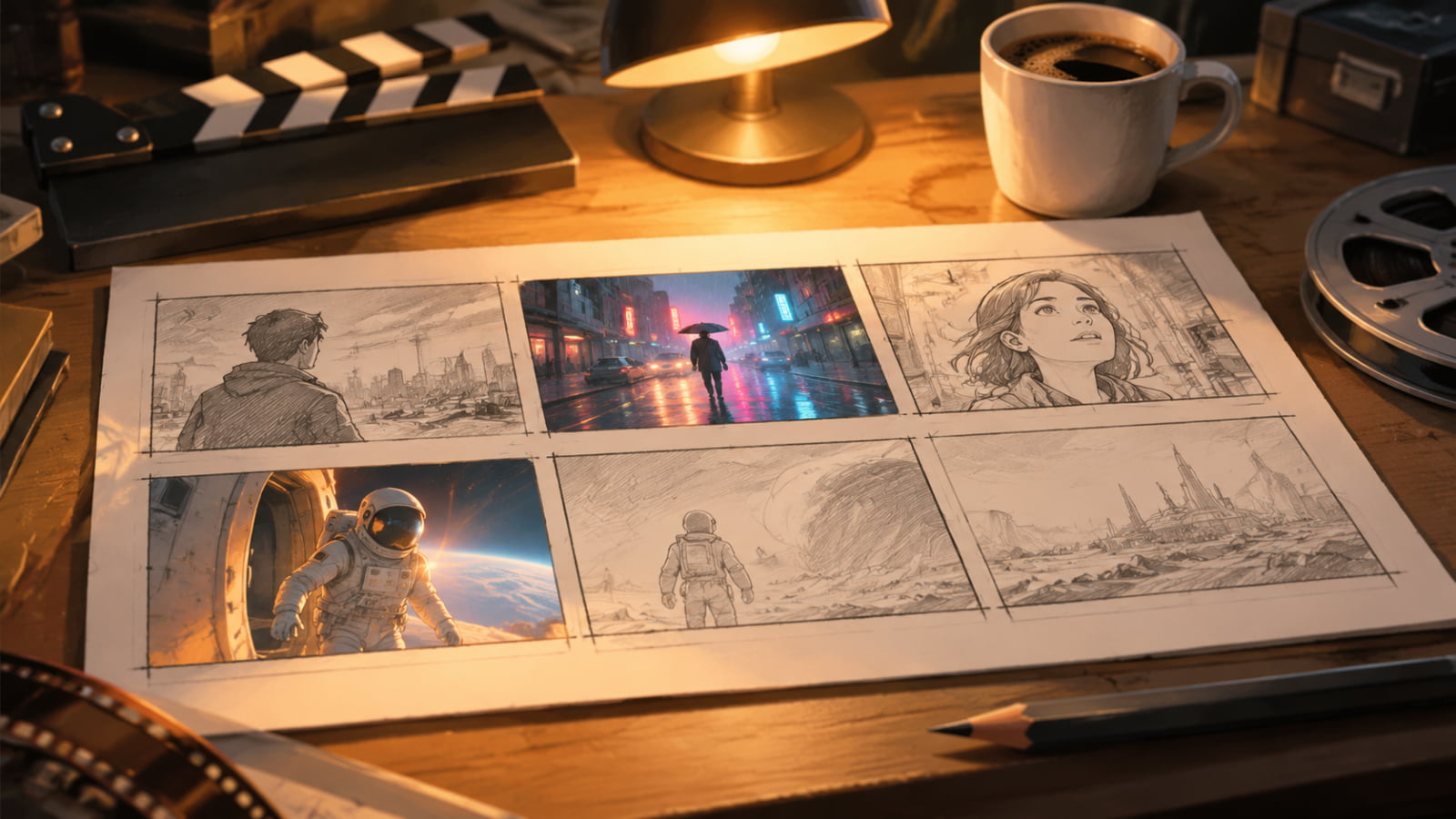
Video tasks run asynchronously — the agent automatically polls with get_generation until the clip is ready and drops the link back into the conversation.
Pro Tips
- Estimate before you generate: For batch jobs, have the agent call
estimate_costfirst, then submit. - Keep style consistent with reference images: For a series of covers, upload a brand image once via
upload_reference_imageand reference it in every generation. - Compare models head-to-head: Same prompt, two models (say GPT-image 2.6 vs Nano Banana 2.1) —
list_modelsshows the price of each so you can compare quality per credit. - Failure costs you nothing: Failed tasks are auto-refunded, and queued tasks can be cancelled with
cancel_generationfor an instant refund.
What This Demo Actually Cost
Real credit usage for the four images in this article:
| Image | Model | Tier | Credits |
|---|---|---|---|
| Cover | Seedream 5.5 | 2K | 480 |
| Social scene | GPT-image 2.6 | 1K | 580 |
| Slide scene | Nano Banana 2.1 | 1K | 480 |
| Storyboard scene | Seedream 5.5 | 2K | 100 |
| Total | 1,640 |
That's less than the cost of the coffee next to your keyboard — and far less than the time you'd spend digging through stock-photo sites.
Get Connected
- Sign in at zixel.vip, open User Center → MCP, and create a token;
- Paste the config into your agent;
- Tell it: "Generate a cover image for me."
Your agent can now do more than think — it can draw and film, too.